Make-up tokens can be redeemed on the Customer Portal or on the mobile app. Instructions walking you through how to do this are below.
Customer Portal
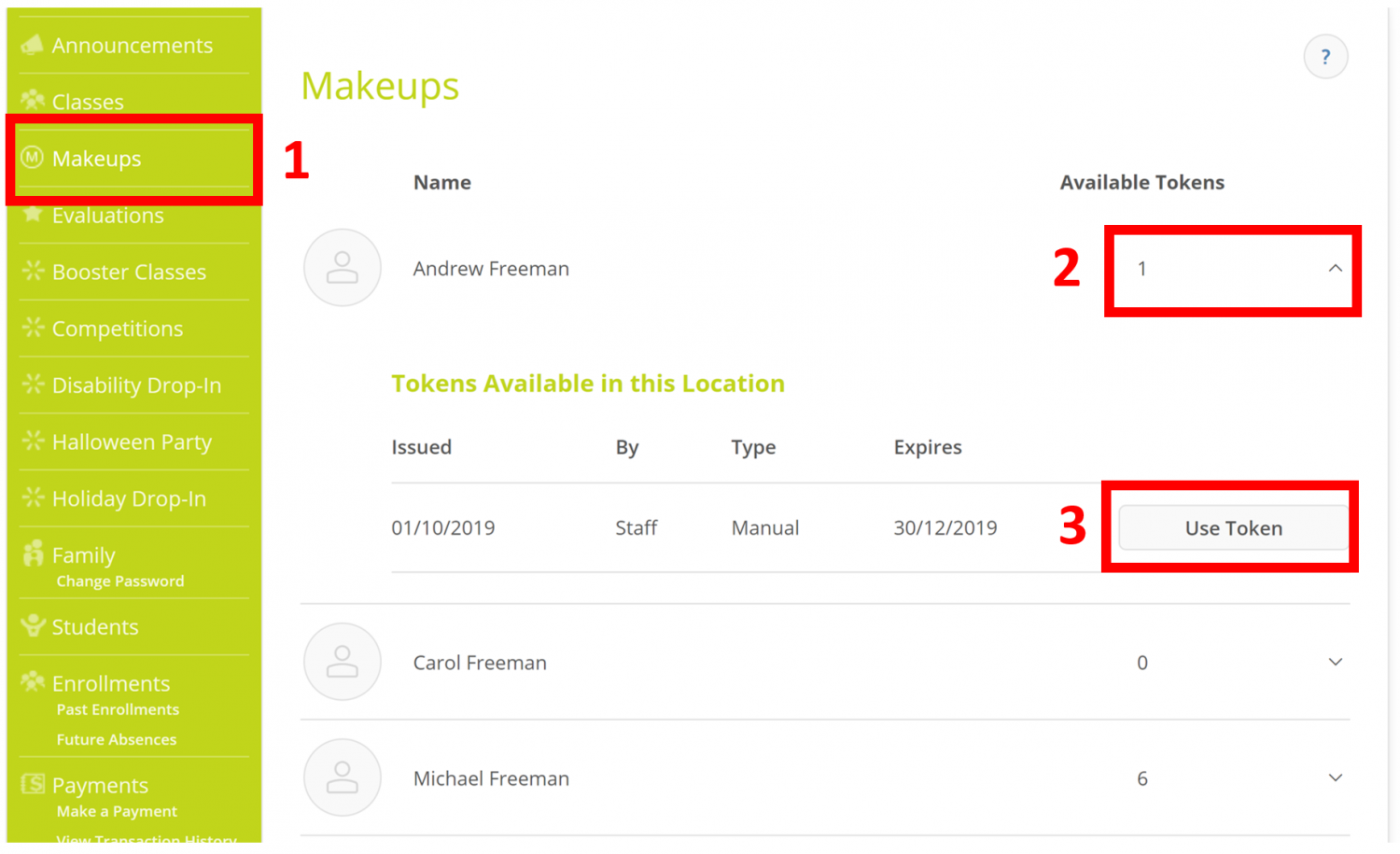
- Select Makeups from the menu.
- Click the arrow next to the student's name to show the available make-up tokens.
- Click Use Token to redeem the make-up token. It will also show when the make-up tokens expire.
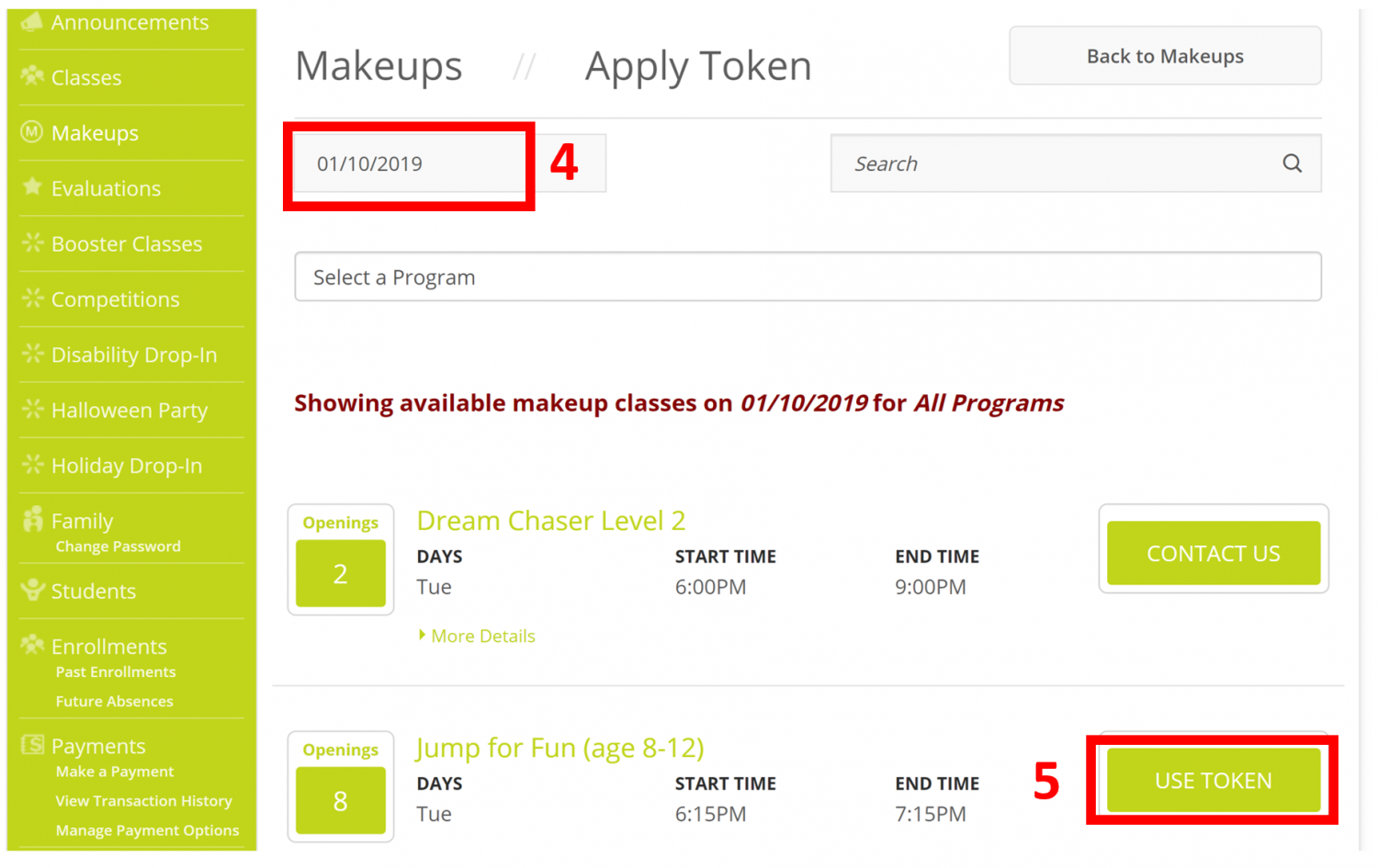
- Select which date you wish to use the Make-up Token on.
- Once you find a date that is available click the Use Token button and complete the booking.
Mobile App
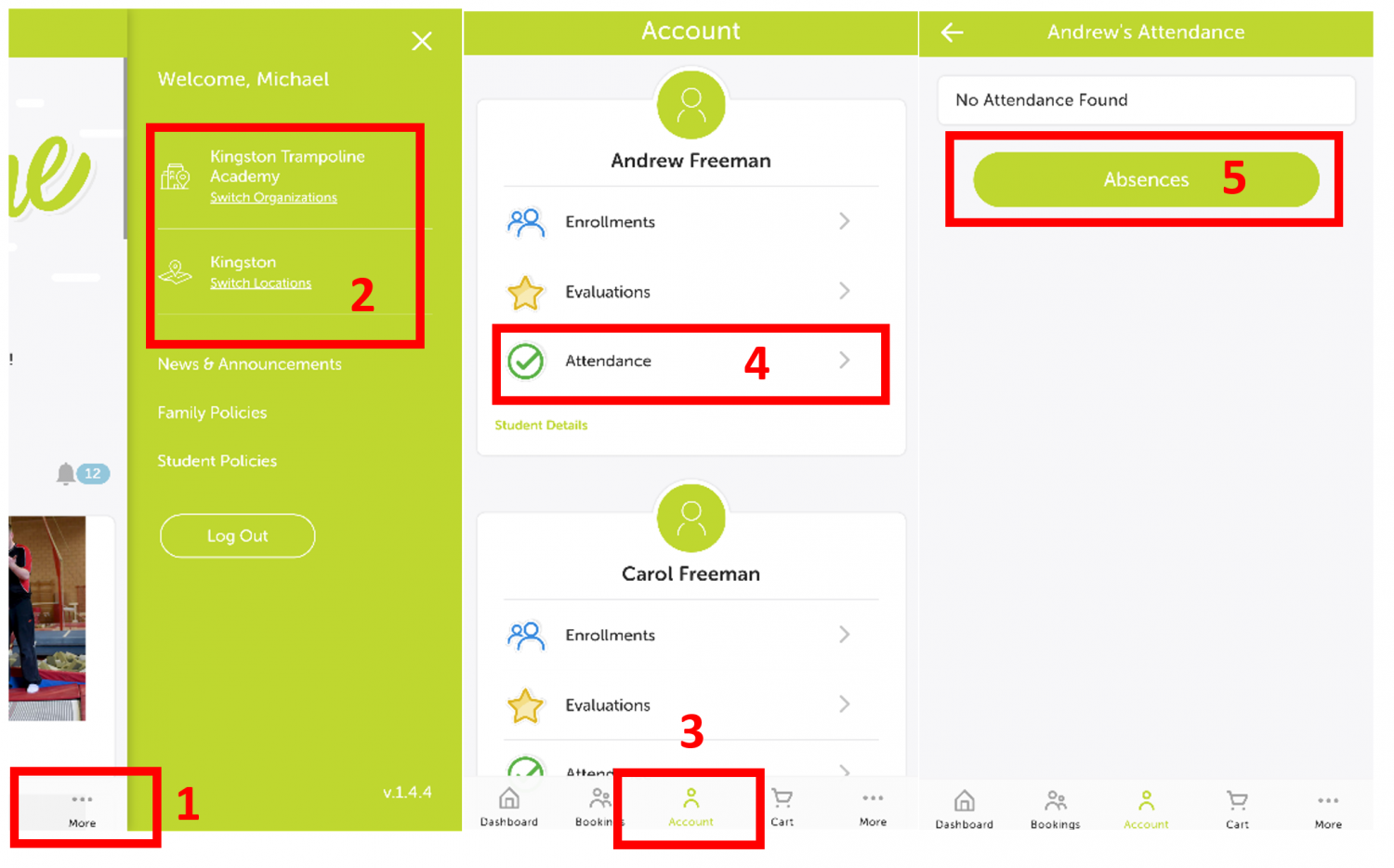
- Click the More button to check which location you are viewing
- Make-up tokens can be used across locations. You can switch between Kingston and New Malden to check availability
- Once your location is chosen click the Account button
- Click Attendance under the child who has a make-up token
- Click the Absences button to continue
- Make sure Makeups is selected to view available tokens
- Click Use Token button
- Select which date you wish to use the Make-up Token on
- Once you find a date that is available click the class you wish to attend.
- Click the Use Token button and complete the booking